[Last updated 8/2023] Node with React: Build & Deploy a Fullstack Web Application (Udemy – Engsub)
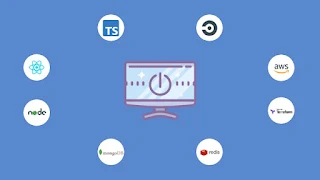
About Course
Views
Build & Deploy a Fullstack Web Application
using
React
, Typescript, MongoDB, Redis, Queues, AWS, Terraform, CircleCI & more.
What you’ll learn:
Build a MERN (MongoDb, Express, React,
Node
) fullstack app
Build an amazing social network application
Define Infrastructure as Code using Terraform to easily create and destroy environment
Setup Continuous Integration/Delivery Pipeline
Integrate Terraform into CI/CD Pipeline
Deploy full-scale application to AWS
Use Redis for caching
Setup Redis message queues and workers
Learn to write unit tests for Frontend and Backend apps
User AWS services like VPC, subnets, internet gateways, EC2, route53, elasticache, S3, cloudfront, load balancer, autoscaling group and much more.
Setup Online Dev, Staging and Production Environments
Integrate Slack in the CI/CD Pipeline
Build custom react hooks
Setup redux-toolkit
Description:
“
Node with React: Build & Deploy a Fullstack Web Application
” is a comprehensive course designed to teach you how to build and deploy modern fullstack web applications using
Node.js
and
React
. You will learn how to create a robust backend with Node.js and Express, and a dynamic frontend with
React
.
Link gốc:
https://www.udemy.com/course/node-with-react-build-deploy-a-fullstack-web-application/
Time Course:
91.5 hours (588 Lectures + Documents)
Instructor
: Uzochukwu Eddie Odozi
Total Weight:
42.76 GB
** Note
:
Chú ý:
Course Content
33. Frontend Video Upload Feature
-
1. Section introduction.mp4
02:00 -
2. Add video select button to post form.mp4
11:41 -
3. Add video file to redux store.mp4
15:00 -
4. Add video select button to modal.mp4
04:28 -
5. Display selected video.mp4
15:44 -
6. Upload selected video.mp4
16:33 -
7. Display uploaded videos.mp4
10:48 -
8. Display video in edit modal.mp4
13:08 -
9. Edit post with video.mp4
12:39 -
10. Create video component.mp4
09:39 -
11. Display videos in videos component.mp4
06:17
26. Frontend Post Components and Features
-
16. Use giphy component.mp4
08:42 -
30. Posts components unit tests.mp4
14:28 -
29. Use socketIO post method.mp4
03:19 -
28. Create socketIO post method.mp4
14:14 -
27. Position cursor.mp4
11:44 -
26. Handle button disable state.mp4
04:59 -
25. Check post privacy.mp4
10:14 -
24. Test post pagination.mp4
04:37 -
23. Post pagination function.mp4
13:38 -
22. Display posts.mp4
07:08 -
21. Posts and single post components.mp4
13:09 -
20. Create post – Part 2.mp4
09:03 -
19. Create post – Part 1.mp4
15:26 -
18. Open create post modal component from post form.mp4
09:49 -
17. Spinner component.mp4
05:04 -
1. Section introduction.mp4
02:02 -
15. Giphy component.mp4
13:59 -
14. Clear image.mp4
14:19 -
13. Display selected image.mp4
15:27 -
12. Image utils service.mp4
14:24 -
11. File selection.mp4
12:06 -
10. Feelings component.mp4
12:15 -
9. Select privacy component.mp4
17:27 -
8. Background color selection.mp4
09:21 -
7. Create post modal component – Part 3.mp4
09:57 -
6. Create post modal component – Part 2.mp4
09:40 -
5. Create post modal component – Part 1.mp4
14:55 -
4. Post modal wrapper.mp4
06:48 -
3. Modal reducer.mp4
08:56 -
2. Post form component.mp4
07:55
27. Frontend Post Reactions and Comments Features
-
16. Display post image.mp4
04:35 -
30. Fix update post notification toast display.mp4
04:56 -
29. Delete post.mp4
13:23 -
28. Update post method – Part 2.mp4
08:22 -
27. Update post method – Part 1.mp4
16:33 -
26. Add values to edit post component.mp4
14:37 -
25. Add edit post component.mp4
14:03 -
24. Add image modal.mp4
10:27 -
23. Add skeleton to posts component.mp4
05:08 -
22. Delete selected post id from localstorage.mp4
01:51 -
21. Comments modal.mp4
13:32 -
20. Fix comment names display issue.mp4
03:01 -
19. Display comments count.mp4
12:46 -
18. Display comment input component.mp4
10:24 -
17. Comment input box component.mp4
13:45 -
1. Section introduction.mp4
02:00 -
15. Fix reactions modal issue.mp4
05:07 -
14. Display reactions modal.mp4
15:23 -
13. Reactions modal component – Part 2.mp4
14:17 -
12. Reactions modal component – Part 1.mp4
12:35 -
11. Display reactions – Part 2.mp4
09:31 -
10. Display reactions – Part 1.mp4
15:11 -
9. Add post reaction – Part 3.mp4
08:39 -
8. Add post reaction – Part 2.mp4
12:16 -
7. Add post reaction – Part 1.mp4
13:02 -
6. User post reaction reducer.mp4
11:46 -
5. Set user selected reaction.mp4
12:42 -
4. Reactions display component.mp4
05:58 -
3. Reactions component.mp4
10:04 -
2. Comment area component.mp4
10:10
28. Frontend People’s Page Component
-
1. Section introduction.mp4
00:49 -
2. People’s component.mp4
15:45 -
3. Card element stats and buttons components.mp4
14:49 -
4. Get all users api method.mp4
12:27 -
5. Navigate to profile page.mp4
03:30 -
6. Card skeleton.mp4
01:36 -
7. Card elements unit tests.mp4
02:26
29. Frontend Follow and Unfollow Features
-
1. Section introduction.mp4
02:22 -
2. Follower service.mp4
04:41 -
3. Follow utils service – Part 1.mp4
13:37 -
4. Follow utils service – Part 2.mp4
15:37 -
5. Remove user from list method.mp4
03:11 -
6. Followers component.mp4
14:06 -
7. SocketIO follow and unfollow on people’s page.mp4
09:27 -
8. Fix follow and unfollow bug.mp4
03:56 -
9. Following component.mp4
06:53 -
10. Refactor map key index.mp4
11:32 -
11. Follow user suggestions.mp4
13:17 -
12. Updating following component.mp4
05:36 -
13. Get user following from streams component.mp4
04:54 -
14. Get background image color.mp4
16:44 -
15. Add background image color to post.mp4
07:46
3. Backend Project Setup
-
12. Environment config class – Part 2.mp4
08:09 -
23. Update build script.mp4
06:18 -
22. Update dependencies.mp4
06:56 -
20. Build script.mp4
06:37 -
19. Change absolute imports.mp4
13:22 -
18. Create github repo.mp4
10:28 -
17. ESLint setup.mp4
14:21 -
16. Logger setup.mp4
09:18 -
15. Global error handler.mp4
16:45 -
14. Routes function.mp4
02:42 -
13. SocketIO setup.mp4
11:43 -
1. Section introduction.mp4
01:07 -
11. Environment config class – Part 1.mp4
12:54 -
10. Database connection setup.mp4
07:27 -
8. Setup http server – Part 2.mp4
04:31 -
7. Setup http server – Part 1.mp4
10:45 -
6. Standard middleware.mp4
12:13 -
5. Setup server class.mp4
09:48 -
4. Folder structure setup.mp4
07:00 -
3. TSConfig.mp4
02:38 -
2. Create backend project.mp4
06:24
30. Frontend Images Page Component
-
1. Section introduction.mp4
01:10 -
2. Add photos component.mp4
13:28 -
3. Create gallery image component.mp4
16:21 -
4. Add image modal component.mp4
11:46 -
5. Add left and right arrows click.mp4
10:11 -
6. Fix image modal issue.mp4
06:19 -
7. Add components unit tests.mp4
02:42
31. Frontend Private Chat Features
-
27. Use right message display component.mp4
04:43 -
19. Image preview component.mp4
14:07 -
20. Get messages from message input component.mp4
16:27 -
21. Add methods to chat window component.mp4
15:07 -
22. Send chat messages.mp4
10:36 -
23. Replace useEffectOnce with useEffect in window component.mp4
07:47 -
24. Message display component.mp4
08:47 -
25. Right message display component.mp4
16:17 -
26. Right message bubble.mp4
13:05 -
18. Create GIF container.mp4
14:23 -
28. Display right messages.mp4
13:01 -
29. Fix message reaction display issue.mp4
01:12 -
30. Left message display component.mp4
05:57 -
31. Update message sidebar.mp4
11:14 -
32. Add socketIO message notification method.mp4
14:06 -
33. Users online method in people’s component.mp4
02:03 -
34. Sort chat list data.mp4
02:50 -
10. Add selected searched user to chat list.mp4
14:51 -
2. Chat reducer.mp4
09:45 -
3. Chat page component.mp4
07:34 -
4. Search list component – Part 1.mp4
14:11 -
5. Search list component – Part 2.mp4
10:09 -
6. Search users api result.mp4
09:12 -
7. Chat utils service – Part 1.mp4
13:33 -
8. Chat utils service – Part 2.mp4
13:26 -
9. SocketIO message received method.mp4
02:48 -
1. Section introduction.mp4
01:24 -
11. Display chat list items.mp4
12:58 -
12. Chat list body component.mp4
13:49 -
13. Add existing user to url query.mp4
11:00 -
14. Update sidebar component.mp4
15:49 -
15. Add socketIO chat list method to chat list component.mp4
01:10 -
16. Chat window component.mp4
04:05 -
17. Message input component.mp4
13:43
32. Frontend Profile Page Component
-
13. Create counter container.mp4
10:47 -
25. Page loader component.mp4
05:21 -
24. Notification settings component – Part 2.mp4
11:27 -
23. Notification settings component – Part 1.mp4
14:18 -
22. Change password component.mp4
15:38 -
21. Hide follower card button.mp4
02:00 -
20. Followers card component.mp4
08:05 -
19. Get reactions by username.mp4
04:01 -
18. Fix social links update issue.mp4
06:35 -
17. Social links component.mp4
10:05 -
16. Basic info component.mp4
14:57 -
15. Info display component – Part 2.mp4
15:14 -
14. Info display component – Part 1.mp4
13:42 -
1. Section introduction.mp4
01:47 -
12. Display timeline posts component.mp4
14:19 -
11. Add delete dialog and image modal.mp4
07:51 -
10. Create tabs component.mp4
13:05 -
9. Fix profile image select issue.mp4
02:34 -
8. Get user images.mp4
07:25 -
7. Save image method.mp4
12:34 -
6. Add change tab content method.mp4
13:30 -
5. Add more properties to background header component.mp4
17:58 -
4. Get user profile by username.mp4
12:06 -
3. Background header component – Part 2.mp4
14:39 -
2. Background header component – Part 1.mp4
14:40
25. Frontend Notification Page Component
-
1. Section introduction.mp4
01:03 -
2. Setup socketIO client.mp4
09:15 -
3. Toast component – Part 1.mp4
10:59 -
4. Toast component – Part 2.mp4
11:00 -
5. Add toast component to app component.mp4
07:12 -
6. Notification reducer.mp4
10:43 -
7. Use dispatch notification method.mp4
07:53 -
8. Notification page component.mp4
11:59 -
9. Notification utils service.mp4
15:07 -
10. Mark and delete notification.mp4
12:28 -
11. Map notification dropdown items method.mp4
15:30 -
12. Timeago utils service.mp4
11:23 -
13. Add notification to dropdown.mp4
11:55 -
14. Notification skeleton.mp4
03:22 -
15. Notification component unit test.mp4
10:24
34. Frontend Deployment Infrastructure with Terraform and CircleCI
-
13. Add circleci config yaml with jobs.mp4
12:18 -
24. Add codecov badge.mp4
04:05 -
23. Persist cloudfront distribution id to workspace.mp4
10:40 -
22. Remove build app job.mp4
08:44 -
21. Set CI to false for build script command.mp4
08:54 -
20. Trigger develop build.mp4
08:37 -
19. Add env variables to circleci context.mp4
10:08 -
18. CircleCI workflows.mp4
09:07 -
17. Cloudfront distribution job.mp4
11:12 -
16. Upload to S3 job.mp4
06:00 -
15. Terraform jobs.mp4
07:45 -
14. Build app job.mp4
09:57 -
1. Add env variables to S3 bucket.mp4
12:12 -
11. Use redis commander GUI.mp4
09:28 -
10. Make changes to react code.mp4
12:28 -
9. Execute terraform locally.mp4
13:27 -
8. Cloudfront route53 alias.mp4
10:19 -
7. Cloudfront distribution – Part 2.mp4
06:30 -
6. Cloudfront distribution – Part 1.mp4
14:34 -
5. AWS certificate resource.mp4
07:29 -
4. S3 bucket resource.mp4
13:48 -
3. Terraform remote backend.mp4
04:27 -
2. Terraform variables.mp4
10:40
4. Backend Authentication Feature
-
24. Fix login bug.mp4
04:31 -
14. Save user to redis cache – Part 1.mp4
11:57 -
15. Save user to redis cache – Part 2.mp4
13:07 -
16. Install redis commander.mp4
08:52 -
17. Base message queue.mp4
12:05 -
18. Base queue add job method.mp4
13:26 -
19. Auth queue and worker.mp4
14:09 -
20. Add JWT to session.mp4
08:25 -
21. View mongodb data with compass.mp4
04:30 -
22. User login controller.mp4
08:18 -
12. Redis base class.mp4
12:58 -
26. Update login controller.mp4
03:39 -
27. User logout controller.mp4
05:36 -
28. Get user data from redis cache.mp4
12:52 -
29. Get user by id from mongodb – Part 1.mp4
10:10 -
30. Get user by id from mongodb – Part 2.mp4
06:27 -
31. Current user controller.mp4
11:53 -
32. Authentication middleware.mp4
13:37 -
33. Merge feature branch to develop.mp4
04:38 -
7. Auth interface and model schema.mp4
11:38 -
2. App dataflow.mp4
06:59 -
3. Redis commands.mp4
09:46 -
4. Cloudinary upload function.mp4
13:45 -
5. Auth validation schemes.mp4
06:36 -
5.1 password.ts
00:00 -
5.2 signin.ts
00:00 -
5.3 signup.ts
00:00 -
6. Joi validator decorator.mp4
11:27 -
1. Section introduction.mp4
02:00 -
7.1 auth.interface.ts
00:00 -
7.2 auth.schema.ts
00:00 -
8. Signup user method – Part 1.mp4
15:33 -
9. Signup user method – Part 2.mp4
11:37 -
10. Auth routes.mp4
12:43 -
11. User interface and model schema.mp4
07:34 -
11.1 user.interface.ts
00:00 -
11.2 user.schema.ts
00:00
5. Backend Auth Password Reset
-
11.1 auth.mock.ts
00:00 -
18. Push code to github.mp4
01:27 -
17.1 current-user.test.ts
00:00 -
17. Current user unit test.mp4
04:05 -
16.2 signout.test.ts
00:00 -
16.1 password.test.ts
00:00 -
16. Password reset and logout unit tests.mp4
05:55 -
15.1 signin.test.ts
00:00 -
15. Login unit test.mp4
04:59 -
14. Clear mocks.mp4
02:59 -
13. Signup unit test – Part 2.mp4
19:08 -
12. Signup unit test – Part 1.mp4
13:30 -
1. Section introduction.mp4
01:28 -
11. Auth unit test mock.mp4
12:34 -
10. Unit test script command.mp4
05:57 -
9. Jest config.mp4
11:22 -
8. Reset password controller method.mp4
13:27 -
7. Forgot password controller method.mp4
12:48 -
6. Test email with password reset templates.mp4
08:43 -
5. Password reset templates.mp4
10:57 -
4. Email queue and worker.mp4
05:50 -
3. Test dev email sender.mp4
06:40 -
2. Mail transport class.mp4
15:22
6. Backend Post Feature
-
20. Update post in redis cache.mp4
11:44 -
14. Get posts from mongodb.mp4
09:38 -
15. Get posts controller.mp4
14:29 -
16. Get post routes.mp4
05:44 -
17. Get post controller unit test.mp4
03:06 -
17.1 get-posts.test.ts
00:00 -
18. Delete post controller.mp4
15:48 -
19. Delete post controller unit test.mp4
01:51 -
19.1 delete-post.test.ts
00:00 -
13. Get total post count from cache.mp4
11:45 -
21. Update redis HSET method in post cache.mp4
09:13 -
22. Update post controller.mp4
13:17 -
23. Update post with image controller.mp4
14:30 -
24. Update post controller unit test.mp4
05:26 -
24.1 update-post.test.ts
00:00 -
25. Push code to github.mp4
02:26 -
26. Fix tsconfig issue.mp4
05:47 -
7. Use save post to redis cache method.mp4
12:51 -
2. Post interface and model schema.mp4
08:50 -
2.1 post.interface.ts
00:00 -
2.2 post.schema.ts
00:00 -
3. Post joi validation scheme.mp4
03:42 -
3.1 post.schemes.ts
00:00 -
4. SocketIO post handler.mp4
07:17 -
5. Create post controller method.mp4
09:08 -
6. Save post to redis cache.mp4
16:19 -
1. Section introduction.mp4
01:12 -
8. Add post socketIO event.mp4
02:32 -
9. Post queue and worker.mp4
12:36 -
10. Post with image controller method.mp4
08:08 -
11. Create post unit test.mp4
06:53 -
11.1 create-post.test.ts
00:00 -
11.2 post.mock.ts
00:00 -
12. Get posts from redis cache.mp4
17:05
7. Backend Post Reactions Feature
-
11. Remove reaction controller.mp4
07:32 -
19. Push code to github.mp4
02:21 -
18.1 get-reactions.test.ts
00:00 -
18. Get reactions controller unit test.mp4
05:57 -
17. Get reactions routes.mp4
07:54 -
16. Get reactions controller.mp4
14:07 -
15. Get post reactions from mongodb.mp4
10:34 -
14. Update redis HSET method in reactions cache.mp4
02:32 -
13. Get post reactions from redis cache.mp4
12:14 -
12.3 remove-reaction.test.ts
00:00 -
12.2 reactions.mock.ts
00:00 -
12.1 add-reactions.test.ts
00:00 -
12. Add and remove reaction controllers unit test.mp4
06:46 -
1. Section introduction.mp4
01:23 -
10. Fix add reaction to mongodb issue.mp4
09:14 -
9. Post reactions queue and worker.mp4
13:54 -
8. Add post reaction to mongodb.mp4
11:58 -
7. Fix add reaction issue.mp4
05:23 -
6. Add reaction controller.mp4
14:40 -
5. Remove post reaction from redis cache.mp4
12:40 -
4. Add post reaction to redis cache.mp4
12:03 -
3.3 reactions.ts
00:00 -
3.2 reaction.schema.ts
00:00 -
3.1 reaction.interface.ts
00:00 -
3. Reactions interface, modal schema and joi schemes.mp4
08:32 -
2. Reactions description.mp4
05:21
8. Backend Comments Feature
-
7. Comments service – Part 1.mp4
11:55 -
13.2 get-comments.test.ts
00:00 -
13.1 add-comment.test.ts
00:00 -
13. Comments controller unit test.mp4
05:27 -
12. Test comment feature.mp4
05:53 -
11. Get comment controller.mp4
11:58 -
10. Add comment controller.mp4
08:09 -
9. Comments queue and worker.mp4
04:04 -
8. Comments service – Part 2.mp4
07:38 -
1. Section introduction.mp4
01:09 -
6. Comment socketIO event.mp4
05:06 -
5. Update redis HSET method in comment cache.mp4
02:34 -
4. Comment redis cache methods – Part 2.mp4
09:36 -
3. Comment redis cache methods – Part 1.mp4
12:41 -
2.3 comment.ts
00:00 -
2.2 comment.schema.ts
00:00 -
2.1 comment.interface.ts
00:00 -
2. Comment interface, model schema and joi schemes.mp4
07:03
9. Backend Followers, Following, Block and Unblock Features
-
10.2 followers.mock.ts
00:00 -
20.2 get-followers.test.ts
00:00 -
20.1 block-user.test.ts
00:00 -
20. Push code to github.mp4
03:13 -
19. User socketIO handler.mp4
03:06 -
18. Block and unblock user controller methods.mp4
13:14 -
17. Block user mongodb method.mp4
11:37 -
16. Update redis HSET method in follower cache.mp4
02:18 -
15. Block user redis cache method.mp4
13:32 -
14. Get followers controller.mp4
12:38 -
13. Get followers from mongodb.mp4
14:15 -
12. Fix auth bug.mp4
07:29 -
11. Get followers from redis cache.mp4
15:01 -
10.3 unfollow-user.test.ts
00:00 -
1. Section introduction.mp4
00:57 -
10.1 follower-user.test.ts
00:00 -
10. Follow and unfollow user controller unit tests.mp4
06:52 -
9. Unfollow user controller.mp4
09:54 -
8. Follower service – Part 2.mp4
12:21 -
7. Follower service – Part 1.mp4
13:41 -
6. Add follower controller – Part 2.mp4
13:09 -
5. Add follower controller – Part 1.mp4
16:57 -
4. Save followerfollowing to redis cache.mp4
11:10 -
3. Follower data structure.mp4
06:16 -
2.2 follower.schema.ts
00:00 -
2.1 follower.interface.ts
00:00 -
2. Followers interface and model schema.mp4
07:52
18. Backend Deployment CICD with CircleCI
-
1. Section introduction.mp4
02:41 -
2. Create circleci account.mp4
13:43 -
4. Circleci executors.mp4
09:35 -
5. Setup yaml aliases.mp4
09:56 -
7. Unit test job.mp4
13:28 -
9. Upload to S3 job.mp4
09:41 -
10. Terraform jobs.mp4
07:06 -
11. Code deploy job.mp4
09:56 -
12. Setup slack app.mp4
09:00 -
13. Slack notify on fail.mp4
10:14 -
14. Notify via slack job.mp4
05:15 -
15. Circleci workflows.mp4
11:47 -
16. Trigger a develop build.mp4
08:04 -
17. Job workflow correction.mp4
02:18 -
18. Add aws cli to terraform apply job.mp4
08:52 -
19. Add circleci badge.mp4
08:03
10. Backend Notification Feature
-
8. Add reactions notification.mp4
07:21 -
12.4 update-notification.test.ts
00:00 -
12.3 notification.mock.ts
00:00 -
12.2 get-notifications.test.ts
00:00 -
12.1 delete-notification.test.ts
00:00 -
12. Notification controller unit tests.mp4
02:49 -
11. Get notifications controller.mp4
06:05 -
10. Update and delete controller.mp4
15:04 -
9. Delete and update notification service.mp4
07:21 -
1. Section introduction.mp4
01:22 -
7. Add followers notification.mp4
08:12 -
6. Test comment notification.mp4
10:39 -
5. Notification socketIO handler.mp4
05:46 -
4. Add comment notification.mp4
12:58 -
3. Insert notification method.mp4
15:34 -
2.1 notification.interface.ts
00:00 -
2. Notification interface.mp4
12:07
11. Backend Images Upload Feature
-
8. Add background image controller – Part 1.mp4
12:49 -
12.4 image.mock.ts
00:00 -
12.3 get-images.test.ts
00:00 -
12.2 delete-image.test.ts
00:00 -
12.1 add-image.test.ts
00:00 -
12. Add controller unit tests.mp4
04:17 -
11. Get images controller.mp4
06:13 -
10. Delete images controller.mp4
09:13 -
9. Add background image controller – Part 2.mp4
14:08 -
1. Section introduction.mp4
01:26 -
7. Add profile image controller.mp4
12:18 -
6. Add image queue method.mp4
03:03 -
5. Get images from mongodb.mp4
11:52 -
4. Add images to database.mp4
11:39 -
3. Update single user item in redis cache.mp4
07:16 -
2.2 image.schema.ts
00:00 -
2.1 image.interface.ts
00:00 -
2. Images interface and model schema.mp4
07:04
12. Backend Chat Feature
-
12. Get chat messages.mp4
16:08 -
20.6 update-chat-message.test.ts
00:00 -
20.5 get-chat-message.test.ts
00:00 -
20.4 delete-chat-message.test.ts
00:00 -
20.3 chat.mock.ts
00:00 -
20.2 add-message.reaction.test.ts
00:00 -
20.1 add-chat-message.test.ts
00:00 -
20. Add message controller unit tests.mp4
04:09 -
19. Add message reaction to mongodb.mp4
10:57 -
18. Add message reaction to redis cache.mp4
14:18 -
17. Fix message update bug in redis cache.mp4
06:20 -
16. Update messages in mongodb.mp4
13:23 -
15. Update messages in redis cache.mp4
11:17 -
14. Mark messages as deleted in mongodb.mp4
11:22 -
13. Mark messages as deleted in cache.mp4
13:17 -
1. Section introduction.mp4
01:23 -
11. Get conversation list from mongodb.mp4
13:50 -
10. Get conversation list from redis cache.mp4
06:31 -
9. Add chat message to mongodb.mp4
13:02 -
8. Add chat users to redis cache.mp4
14:15 -
7. Add chat message to redis cache.mp4
07:02 -
6. Add chat message route.mp4
08:45 -
5. Add chat list to redis cache.mp4
14:00 -
4. Add chat controller – Part 2.mp4
15:59 -
3. Add chat controller – Part 1.mp4
16:27 -
2.3 chat.ts
00:00 -
2.2 chat.schema.ts
00:00 -
2.1 chat.interface.ts
00:00 -
2. Chat interface, model schema and joi schemes.mp4
13:04
13. Backend Users Feature
-
15. Search users.mp4
12:21 -
23. Test health routes.mp4
06:41 -
22. Health routes – Part 2.mp4
10:23 -
21. Health routes – Part 1.mp4
14:57 -
20.6 user.mock.ts
00:00 -
20.5 update-settings.test.ts
00:00 -
20.4 update-basic-info.test.ts
00:00 -
20.3 search-user.test.ts
00:00 -
20.2 get-profile.test.ts
00:00 -
20.1 change-password.test.ts
00:00 -
20. Add controller unit tests.mp4
08:18 -
19. Fix change password bug.mp4
02:58 -
18. Update notification settings.mp4
14:50 -
17. Update basic info.mp4
15:38 -
16. Change password.mp4
15:27 -
1. Section introduction.mp4
01:06 -
14. Update redis HSET method in user cache.mp4
09:26 -
13. Random users controller method.mp4
06:22 -
12. Get random users from mongodb.mp4
12:10 -
11. Get random users from redis cache.mp4
14:53 -
10. Get user profile and posts.mp4
08:37 -
9. Get user profile.mp4
04:49 -
8. Fix user followers bug.mp4
02:55 -
7. Get total users.mp4
10:02 -
6. Get users profile controller.mp4
18:26 -
5. Get users from redis cache.mp4
11:46 -
4.1 info.ts
00:00 -
4. User schemes.mp4
00:00 -
3. Emit online users.mp4
09:41 -
2. Add user map inside users socketIO handler.mp4
13:24
14. Backend Video Upload Feature
-
1. Section introduction.mp4
01:13 -
2. Add video properties to post model.mp4
08:53 -
3. Update post cache methods.mp4
11:22 -
4. Add video upload method to cloudinary upload file.mp4
04:49 -
5. Create post with video.mp4
11:07 -
6. Test post video upload.mp4
05:23 -
6.1 video-data-uri.ts
00:00 -
7. Update post with video.mp4
14:50 -
8. Get posts with videos.mp4
06:36
15. Backend PM2 and MongoDB Setup
-
1. Seed user script – Part 1.mp4
18:23 -
2. Seed user script – Part 2.mp4
06:09 -
3. Handle process exceptions.mp4
09:15 -
4. Add mongodb url.mp4
13:23 -
5. Install swagger stats library.mp4
06:53 -
6. Install pm2 library.mp4
12:59 -
7. Update start command.mp4
03:21 -
8. Get sendgrid api key.mp4
05:30 -
9. Merge to all branches.mp4
10:00
16. Backend Deployment AWS Setup
-
1. Create AWS account.mp4
10:31 -
2. Create IAM user.mp4
16:40 -
3. Add billing policy to IAM user.mp4
05:02 -
4. Login with IAM user.mp4
12:10 -
5. Create cloudwatch billing alarm.mp4
09:50 -
6. Add aws cli.mp4
11:11 -
7. Get a domain.mp4
11:52 -
8. AWS services to use.mp4
08:31 -
9. AWS infrastructure.mp4
13:11 -
10. AWS infrastructure connections.mp4
07:30
17. Backend Deployment Infrastructure with Terraform
-
17. EC2 user data script.mp4
14:04 -
31. Merge to different branches.mp4
18:07 -
30. Autoscaling group policy.mp4
13:47 -
29. Terraform destroy resources.mp4
02:54 -
28. Delete code deploy autoscaling group script.mp4
13:24 -
27. Update aws cli command for code deployment.mp4
09:04 -
26. Trigger code deployment.mp4
16:40 -
25. Code deploy app spec.mp4
17:57 -
24. Code deploy app.mp4
15:45 -
23. Code deploy S3 bucket.mp4
09:02 -
22. Code deploy intro.mp4
12:55 -
21. Access elasticache command line.mp4
11:47 -
20. Run terraform apply locally.mp4
21:10 -
19. Create env file S3 bucket.mp4
10:34 -
18. Autoscaling group.mp4
12:21 -
2. Terraform AWS S3 bucket for remote state.mp4
06:49 -
16. EC2 launch config.mp4
09:52 -
15. Update env file script.mp4
11:38 -
14. Elasticache.mp4
11:52 -
13. IAM EC2 role.mp4
06:20 -
12. Application load balancer route53 alias.mp4
05:06 -
11. Application load balancer.mp4
15:00 -
10. Route53 certificate.mp4
11:47 -
9. Application load balancer target group.mp4
15:19 -
8. Security groups.mp4
17:26 -
7. Elastic ip and NAT gateway.mp4
10:58 -
6. Internet gateway and public route tables.mp4
10:26 -
5. VPC and subnets.mp4
11:51 -
4. Terraform version and backend.mp4
09:52 -
3. Terraform variables.mp4
16:21
1. Introduction
-
05:48
-
16:11
-
3. Video upload demo.mp4
02:00 -
4. App sections.mp4
03:37 -
5. Github repos.mp4
01:29
19. Frontend Project Setup
-
1. Section introduction.mp4
00:52 -
2. Create folder.mp4
07:38 -
3. Create project folders.mp4
08:09 -
4. Add sass file.mp4
05:05 -
5. Setup ESLint and prettier.mp4
09:43 -
6. Setup github repo.mp4
05:35
2. Backend Introduction
-
1. Tools description.mp4
05:25 -
2. App features.mp4
07:31
20. Frontend Authentication Feature
-
11. Auth service.mp4
12:41 -
20. Create streams page component.mp4
09:13 -
19. Change absolute paths.mp4
08:00 -
18. Setup jsconfig paths.mp4
16:29 -
17. Merge code.mp4
03:05 -
16. Reset password logic.mp4
15:34 -
15. Login user logic.mp4
09:22 -
14. Generate avatar image.mp4
16:55 -
13. Register user logic – Part 2.mp4
12:16 -
12. Register user logic – Part 1.mp4
13:36 -
1. Section introduction.mp4
01:32 -
10. Add static data.mp4
05:41 -
9. Forgot password and reset password components.mp4
09:52 -
8. Register user component.mp4
09:30 -
7. Login component.mp4
13:41 -
6. Button and input components.mp4
14:09 -
5. Add auth background image.mp4
07:48 -
4. App router.mp4
11:44 -
3. Create auth tabs page.mp4
09:50 -
2. Sample html.mp4
02:13
21. Frontend Custom Hooks
-
1. Section introduction.mp4
01:52 -
2. useLocalStorage and useSessionStorage.mp4
12:04 -
3. useChatScrollToBottom.mp4
09:05 -
4. useDebounce.mp4
09:50 -
5. useDetectOutsideClick.mp4
08:31 -
6. useInfiniteScroll.mp4
14:17 -
7. useEffectOnce.mp4
06:51
22. Frontend Redux Toolkit Setup
-
1. Section introduction.mp4
01:43 -
2. useLocalStorage hook in login component.mp4
05:02 -
3. Setup redux store.mp4
15:21 -
4. Fix redux store import issue.mp4
01:11 -
5. Dispatch user action.mp4
11:01 -
6. Clear user reducer method.mp4
04:22
23. Frontend Setup Unit Test
-
10. Auth tabs and login component unit tests.mp4
12:38 -
18. Section conclusion.mp4
01:32 -
17. Custom hooks unit test – Part 3.mp4
05:08 -
16. Custom hooks unit test – Part 2.mp4
09:59 -
15. Custom hooks unit test – Part 1.mp4
14:30 -
14. User reducer unit test.mp4
13:04 -
13. Button component unit test.mp4
04:13 -
12. Fix register component error test.mp4
01:04 -
11. Forgot and reset password components unit tests.mp4
09:51 -
1. Section introduction.mp4
01:20 -
9. Register component unit test – Part 4.mp4
11:47 -
8. Register component unit test – Part 3.mp4
13:38 -
7. Register component unit test – Part 2.mp4
17:24 -
6. Register component unit test – Part 1.mp4
13:33 -
5. Create test utils.mp4
11:06 -
4. Setup mock service worker.mp4
18:22 -
3. Mock service worker.mp4
03:26 -
2. Testing library intro.mp4
13:12
24. Frontend Streams Page Component
-
12. Add sidebar navigation.mp4
12:50 -
23. Add components unit test.mp4
04:35 -
22. Lazy load routes.mp4
10:52 -
21. Add skeleton components.mp4
12:08 -
20. Error page component.mp4
06:08 -
19. Navigate to streams page from auth page.mp4
05:49 -
18. Use protected route component.mp4
02:27 -
17. Protected route component.mp4
18:11 -
16. Logout user.mp4
07:33 -
15. Profile utils service.mp4
10:14 -
14. Dropdown component.mp4
14:21 -
13. Message sidebar component.mp4
12:19 -
1. Section introduction.mp4
01:45 -
11. Get users suggestions from redux.mp4
06:58 -
10. Add users suggestions to redux.mp4
08:17 -
9. Suggestions component.mp4
13:47 -
8. Streams page component.mp4
06:17 -
7. Sidebar component.mp4
11:56 -
6. Display app environment name.mp4
07:42 -
5. Header component with avatar – Part 2.mp4
10:58 -
4. Header component with avatar – Part 1.mp4
15:27 -
3. Social page component.mp4
07:58 -
2. Main app page overview.mp4
02:26
Student Ratings & Reviews
