[Last updated 6/2024] Self Driving and ROS 2 – Learn by Doing! Odometry & Control (Udemy – Engsub)
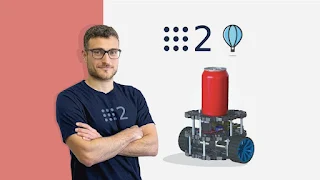
About Course
Views
Create a
ROS2
based
Self-Driving
robot and learn about Robot Localization and Sensor Fusion using Kalman Filters
What you’ll learn:
Create a Real
Self-Driving
Robot
Mastering
ROS2
, the last version of the Robot Operating System
Implement Sensor Fusion algorithms
Simulate a Self-Driving robot in Gazebo
Programming Arduino for Robotics Applications
Use the ros2_control library
Develop a Controller
Odometry and Localization
Kalman Filters and Extended Kalman Filter
Probability Theory
Differential Kinematics
Create a Digital Twin of a
Self-Driving
Robot
Master the TF2 library
Description:
Would you like to build a real
Self-Driving Robot
using
ROS2
, the second and last version of Robot Operating System by building a real robot?
Link gốc:
https://www.udemy.com/course/self-driving-and-ros-2-learn-by-doing-odometry-control/
Time Course:
26 hours (163 Lectures + Documents)
Instructor
: Antonio Brandi
Total Weight:
12.3 GB
** Note
:
Chú ý:
Course Content
01 – Introduction
-
02:53
-
03:16
-
003 Course Presentation.mp4
06:16 -
004 Meet your Teacher.mp4
02:27 -
006 Get the Most out of the Course.mp4
03:40
02 – Setup
-
003 LABInstall ROS 2LAB.mp4
03:38 -
004 LABConfigure the Development EnvironmentLAB.mp4
09:01
03 – Introduction to ROS 2
-
001 Why a Robot Operating System.mp4
04:18 -
002 What is ROS 2.mp4
03:13 -
003 Why a NEW Robot Operating System.mp4
04:58 -
004 ROS 2 Architecture.mp4
03:12 -
005 Hardware Abstraction.mp4
02:53 -
006 Low-Level Device Control.mp4
01:22 -
007 Messaging Between Process.mp4
07:00 -
008 Package Management.mp4
01:40 -
009 Architecture of a ROS 2 Application.mp4
02:59 -
010 LABCreate and Activate a WorkspaceLAB.mp4
11:18 -
011 PYSimple PublisherPY.mp4
18:16 -
012 C++Simple PublisherC++.mp4
23:14 -
013 PYSimple SubscriberPY.mp4
13:15 -
014 C++Simple SubscriberC++.mp4
15:44
04 – Locomotion
-
009 PYParametersPY.mp4
13:33 -
017 LABLaunch the SimulationLAB.mp4
15:06 -
016 LABSimulate the RobotLAB.mp4
14:59 -
015 Gazebo.mp4
04:48 -
014 LABVisualize the Robot with Launch FilesLAB.mp4
20:23 -
013 Launch Files.mp4
05:58 -
012 LABVisualize the RobotLAB.mp4
09:07 -
011 LABROS 2 Parameter CLILAB.mp4
06:36 -
010 C++ParametersC++.mp4
17:04 -
001 Robot Locomotions.mp4
05:54 -
008 Parameters.mp4
01:55 -
007 Rviz 2.mp4
05:32 -
006 LABCreate the URDF ModelLAB.mp4
31:24 -
005 URDF.mp4
04:41 -
004 Robot Description.mp4
03:33 -
003 Friction Effects.mp4
09:54 -
002 Mobile Robots.mp4
04:15
05 – Control
-
001 ROS 2 Control.mp4
08:43 -
002 Control Types.mp4
05:36 -
003 LABros2_control with GazeboLAB.mp4
13:57 -
004 YAML Configuration File.mp4
02:43 -
005 LABConfigure ros2_controlLAB.mp4
12:11 -
006 LABLaunch the ControllerLAB.mp4
05:54 -
007 LABros2_control CLILAB.mp4
07:53
06 – Kinematics
-
001 Robot Kinematics.mp4
03:52 -
002 Pose of a Mobile Robot.mp4
03:53 -
003 Translation Vector.mp4
04:46 -
004 LABIntroduction to TurtlesimLAB.mp4
11:05 -
005 PYTranslation VectorPY.mp4
16:34 -
006 C++Translation VectorC++.mp4
28:13 -
007 Rotation Matrix.mp4
08:14 -
008 PYRotation MatrixPY.mp4
10:29 -
009 C++Rotation MatrixC++.mp4
10:22 -
010 Transformation Matrix.mp4
03:39
07 – Differential Kinematics
-
001 Differential Kinematics.mp4
01:36 -
002 Velocity of a Mobile Robot.mp4
03:17 -
003 Linear Velocity.mp4
06:04 -
004 Angular Velocity.mp4
05:28 -
005 Velocity in World Frame.mp4
05:05 -
006 Differential Forward Kinematics.mp4
04:08 -
007 Simple Speed Controller.mp4
01:54 -
008 PYSimple Speed ControllerPY.mp4
24:12 -
009 C++Simple Speed ControllerC++.mp4
30:53 -
010 LABLaunch the Simple ControllerLAB.mp4
14:03 -
011 LABTeleoperating with JoystickLAB.mp4
15:40 -
012 LABUsing the diff_drive_controllerLAB.mp4
22:28
08 – TF2 Library
-
011 PYService ClientPY.mp4
18:36 -
020 LABTF2 ToolsLAB.mp4
07:31 -
019 C++Euler to QuaternionC++.mp4
12:39 -
018 PYEuler to QuaternionPY.mp4
11:47 -
017 Quaternion.mp4
03:54 -
016 Euler Angles.mp4
03:04 -
015 Angle Rapresentations.mp4
01:41 -
014 C++Simple TF2 ListenerC++.mp4
23:12 -
013 PYSimple TF2 ListenerPY.mp4
20:06 -
012 C++Service ClientC++.mp4
23:31 -
001 The TF2 Library.mp4
05:23 -
010 C++Service ServerC++.mp4
21:05 -
009 PYService ServerPY.mp4
19:10 -
008 ROS 2 Services.mp4
05:43 -
007 C++Simple TF2 BroadcasterC++.mp4
13:21 -
006 PYSimple TF2 BroadcasterPY.mp4
13:09 -
005 C++Simple TF2 Static BroadcasterC++.mp4
19:14 -
004 PYSimple TF2 Static BroadcasterPY.mp4
14:09 -
003 Static and Dynamic Transformations.mp4
03:00 -
002 Operations with Transformations.mp4
05:31
09 – Odometry
-
001 Where is the Robot.mp4
03:01 -
002 The Local Localization Challenge.mp4
05:22 -
003 Wheel Odometry.mp4
07:49 -
004 Differential Inverse Kinematics.mp4
05:33 -
005 PYDifferential Inverse KinematicPY.mp4
18:54 -
006 C++Differential Inverse KinematicC++.mp4
20:40 -
007 Wheel Odometry – Position.mp4
03:17 -
008 Wheel Odometry – Orientation.mp4
03:38 -
009 PYWheel OdometryPY.mp4
10:35 -
010 C++Wheel OdometryC++.mp4
10:47 -
011 PYPublish Odometry MessagePY.mp4
14:47 -
012 C++Publish Odometry MessageC++.mp4
16:16 -
013 PYBroadcast Odometry TransformPY.mp4
11:45 -
014 C++Broadcast Odometry TransformC++.mp4
13:15
10 – Probability for Robotics
-
001 Motivation.mp4
07:09 -
002 Random Variables.mp4
08:55 -
003 Conditional Probability.mp4
07:18 -
004 Probability Distributions.mp4
08:40 -
005 Gaussian Distributions.mp4
04:52 -
006 Total Probability Theorem.mp4
05:44 -
007 Bayes Rule.mp4
05:11 -
008 Sensor Noise.mp4
02:37 -
009 PYAdding Noise to Robot MotionPY.mp4
07:31 -
010 C++Adding Noise to Robot MotionC++.mp4
11:33 -
011 LABLaunch Noisy ControllerLAB.mp4
13:29 -
012 LABOdometry ComparisonLAB.mp4
07:26
11 – Sensor Fusion
-
010 C++Measurement UpdateC++.mp4
05:17 -
018 LABSensor Fusion with robot_localizationLAB.mp4
24:31 -
017 C++IMU RepublisherC++.mp4
08:44 -
016 PYIMU RepublisherPY.mp4
06:45 -
015 Extended Kalman Filter (EKF).mp4
04:24 -
014 LABLocalization with Kalman FilterLAB.mp4
06:29 -
013 C++State PredictionC++.mp4
10:15 -
012 PYState PredictionPY.mp4
09:16 -
011 State Prediction.mp4
02:33 -
001 Advantages of having Multiple Sensors.mp4
06:28 -
009 PYMeasurement UpdatePY.mp4
05:22 -
008 Measurement Update.mp4
02:23 -
007 C++Filter InitializationC++.mp4
20:26 -
006 PYFilter InitializationPY.mp4
15:00 -
005 Kalman Filter.mp4
06:28 -
004 LABSimulate IMU SensorIMU.mp4
15:46 -
003 Accelerometer and IMU.mp4
03:30 -
002 Gyroscope.mp4
03:38
12 – Build the Robot
-
014 HWLABDC Motors with ArduinoHWLAB.mp4
13:48 -
025 HWLABLaunch the Complete RobotHWLAB.mp4
09:42 -
024 HWLABRobot Control with ArduinoHWLAB.mp4
37:36 -
023 LABros2_control Interface – ConfigureLAB.mp4
12:37 -
022 C++ros2_control Interface – PluginC++.mp4
12:29 -
021 C++ros2_control Interface – DefinitionC++.mp4
36:57 -
020 C++ros2_control Interface – DeclarationC++.mp4
15:15 -
019 LABROS 2 Lifecycle CLILAB.mp4
06:28 -
018 C++Create a Lifecycle NodeC++.mp4
24:52 -
017 PYCreate a Lifecycle NodePY.mp4
20:33 -
016 ROS 2 Lifecycle Nodes.mp4
07:34 -
015 HWLABEncoders with ArduinoHWLAB.mp4
19:20 -
001 Mechanics and Electronics.mp4
01:26 -
013 HWLABTest Subscriber Node with ArduinoHWLAB.mp4
02:45 -
012 C++Subscriber Node with ArduinoC++.mp4
07:50 -
011 PYSubscriber Node with ArduinoPY.mp4
07:56 -
010 HWLABSubscriber Node with ArduinoHWLAB.mp4
03:28 -
009 HWLABTest Publisher Node with ArduinoHWLAB.mp4
03:26 -
008 C++Publisher Node with ArduinoC++.mp4
12:27 -
007 PYPublisher Node with ArduinoPY.mp4
10:24 -
006 HWLABPublisher Node with ArduinoHWLAB.mp4
08:43 -
005 Arduino and ROS 2.mp4
02:55 -
004 HWLABInstall ROS 2 on Raspberry PiHWLAB.mp4
13:43 -
003 HWLABConfigure the Development EnvironmentHWLAB.mp4
21:32
13 – Conclusions
-
001 Recap.mp4
02:34 -
002 What’s Next.mp4
02:09
Student Ratings & Reviews
