Arduino Complete Course : Build 30+ projects step by step (Udemy – Engsub)
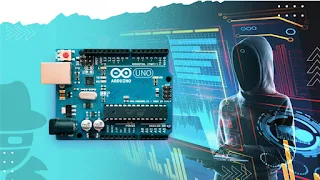
About Course
Views
Learn
Arduino
from basics to advance step by step with real working robotic projects with course “
Arduino Complete Course : Build 30+ projects step by step
“
What you’ll learn:
Arduino
Arduino Programming
Voice Controlled Robot
Mobile Control Rover
Obstacle Avoiding Robot
Line Following Robot
Laser Alarm System
Project Development using Arduino
Electronics App Development
Arduino IDE
Programming Basics, Datatypes, Conditionals, Loops and Functions
Light Measurement using LDR
Distance Measurement using Ultrasonic Sensor
Object Detection using IR sensor
Line Detection using Line sensor
v.v…
Description:
Are you ready to dive into the world of electronics and programming with
Arduino
? The “
Arduino Complete Course: Build 30+ Projects Step by Step
” is your gateway to mastering Arduino, whether you’re a beginner or an experienced hobbyist. This comprehensive course will guide you through over 30 hands-on projects, helping you develop practical skills in building and programming electronic circuits. From simple LED blinkers to more complex IoT devices, you’ll learn how to bring your ideas to life with
Arduino
, enhancing your understanding of both hardware and software.
Link gốc:
https://www.udemy.com/course/arduino-complete-course-build-30-projects-step-by-step/
Time Course:
19 hours (245 Lectures + Documents)
Instructor
: Dev Nirwal
Total Weight:
12.07 GB
** Note
:
Chú ý:
Course Content
1. Introduction to the Course
-
02:31
-
00:54
-
3. What’s Inside the Course.mp4
05:11 -
4. What is an Arduino.mp4
06:19 -
6. Why we need to learn Arduino.mp4
07:50 -
7. How it all Works.mp4
06:47 -
8. Some basic Components.mp4
19:14 -
9. Any Doubts.mp4
00:35
10. Chasis and Other Simple Components
-
1. Introduction to this module.mp4
02:05 -
3. Gear setup.mp4
05:03 -
4. What is chasis.mp4
08:35 -
5. Is it important to have a chassis.mp4
01:29
12. Obstacle Avoiding Robot
-
1. Introduction to this module.mp4
01:57 -
4. Assembling the robot.mp4
20:44 -
5. Writing the code.mp4
14:33 -
6. Writing the code part – 2.mp4
12:30 -
7. Writing the code part – 3.mp4
14:43 -
8. Writing the code part – 4.mp4
14:17 -
9. Writing the code part – 5.mp4
15:08 -
10. Testing the Robot.mp4
02:19
13. Line Following Robot
-
1. Introduction to this module.mp4
02:12 -
4. Assembling the robot.mp4
10:49 -
5. Writing the code.mp4
18:35 -
6. Testing the robot.mp4
01:03
15. Mit App Inventor
-
1. Introduction to this module.mp4
06:53 -
3. Accessing MIT.mp4
01:54 -
4. Understanding the interface.mp4
03:58 -
5. Familarisation with MIT.mp4
12:42 -
6. Developing front end.mp4
06:15 -
7. Developing the backend.mp4
13:47 -
8. Introduction to Bluetooth technology.mp4
06:44 -
9. Writing code for the mobile controlled led.mp4
07:49 -
10. Testing our first app.mp4
04:24
16. More Apps
-
14. Developing the app.mp4
01:56 -
26. Testing the application.mp4
01:29 -
25. Writing the code.mp4
03:48 -
24. Developing the app.mp4
10:48 -
23. Problem-5 Voice controlled led.mp4
02:03 -
21. Testing of the application.mp4
02:04 -
20. Writing the code.mp4
04:55 -
19. Developing the app.mp4
02:56 -
18. Problem-4 Led fading.mp4
01:35 -
16. Testing of the application.mp4
05:05 -
15. Writing the code.mp4
04:23 -
1. Introduction to this module.mp4
00:49 -
13. Problem-3 Controlling motor.mp4
01:30 -
11. Testing of the application.mp4
04:26 -
10. Writing the code part-2.mp4
07:13 -
9. Writing the code.mp4
18:05 -
8. Developing the app.mp4
07:14 -
7. Problem-2 Mode switcher.mp4
03:41 -
5. Testing of the applicaiton.mp4
05:53 -
4. Writing the code.mp4
08:57 -
3. Developing the app.mp4
12:07 -
2. Problem-1 4 Led Controller.mp4
02:07
18. Mobile Controlled Robot
-
1. Introduction to the module.mp4
01:50 -
4. Assembling the Rover.mp4
08:40 -
5. Developing the App.mp4
08:38 -
6. Writing the code.mp4
13:31 -
7. Writing the code part – 2.mp4
11:06 -
8. Writing the code part – 3.mp4
09:21 -
9. Testing the Rover.mp4
03:06 -
11. How to make it more easy.mp4
01:04 -
12. Assembling the robot.mp4
02:46 -
13. Writing the code.mp4
14:45 -
14. Testing the rover.mp4
03:01
19. Voice Controlled Rover
-
1. Introduction to this module.mp4
01:13 -
4. Assembling the Robot.mp4
01:02 -
5. Developing the App.mp4
13:55 -
6. Writing the code part – 1.mp4
14:25 -
7. Writing the code part – 2.mp4
12:48 -
8. Testing of the Robot.mp4
03:28
2. Part-1 Programming and Simulation
-
1. Part-1 Programming and Simulation.mp4
01:58 -
2. What is Programming.mp4
07:18 -
4. Why we need to learn Programming.mp4
02:08
20. End Of The Course
-
1. End of the course.mp4
00:15
3. Installing Arduino IDE
-
1. Introduction to the Module.mp4
00:39 -
2. What is Compiler and Editor.mp4
07:24 -
4. Installing Arduino IDE on MAC.mp4
01:38 -
6. Installing IDE on Windows.mp4
01:34 -
9. IDE Basics.mp4
06:12
4. Arduino Programming Basics
-
1. Introduction to the Module.mp4
01:04 -
2. What’s on the Board.mp4
14:15 -
4. How to connect the Arduino.mp4
04:15 -
5. How to write a Code.mp4
02:49 -
6. First Program.mp4
09:18 -
8. Some basic Syntaxes.mp4
06:17 -
9. Inbuilt Functions.mp4
06:14 -
10. Constants.mp4
04:17 -
11. Variables.mp4
21:03 -
14. On Board Led.mp4
06:16 -
16. Saving the code.mp4
03:24 -
17. Simulation.mp4
03:41 -
18. Tinkercad.mp4
14:06 -
20. First Program on Tinkercad.mp4
06:49 -
22. Multi Led’s on Tinkercad.mp4
10:36
5. Programming
-
2. Datatypes.mp4
07:55 -
3. Datatypes part – 2.mp4
15:07 -
5. String.mp4
21:51 -
8. Arrays.mp4
19:02 -
11. More on Arrays.mp4
09:02 -
13. Arithmetic Operators.mp4
10:40 -
14. Comparison Operators.mp4
10:49 -
16. if-else conditions.mp4
15:03 -
19. Functions.mp4
13:36 -
21. Loops.mp4
11:32 -
23. For loop.mp4
11:54 -
26. Fading using loop.mp4
10:58 -
28. While loop.mp4
07:44 -
31. Do-While loop.mp4
05:39 -
34. Continue statement.mp4
10:08
6. Polish Programming
-
15. Problem-5 Chase Effect.mp4
03:16 -
26. Knight Rider solution.mp4
12:00 -
25. Module Test Knight Rider effect.mp4
02:24 -
23. Fire effect solution.mp4
10:01 -
22. Problem-7 Fire Effect.mp4
02:45 -
20. RGB colour code solution part-2.mp4
17:49 -
19. RGB colour code solution part-1.mp4
13:15 -
18. Problem-6 RGB colour code.mp4
02:31 -
16. Chase Effect solution.mp4
22:37 -
1. Introduction to this module.mp4
01:25 -
13. Trafic Light solution.mp4
09:02 -
12. Problem-4 Traffic Light.mp4
02:20 -
10. SOS morse code solution.mp4
05:59 -
9. Problem-3 SOS morse code.mp4
03:45 -
7. Complex Blinker solution.mp4
11:57 -
6. Problem-2 Complex Blinker.mp4
02:43 -
4. Solution for Blinker.mp4
07:43 -
3. Problem-1 Blinker.mp4
01:34
8. Sensors
-
1. Introduction to this module.mp4
10:45 -
4. LDR sensor.mp4
11:24 -
7. PIR motion sensor.mp4
14:56 -
10. Color sensor.mp4
20:45 -
11. Color sensor part – 2.mp4
16:21 -
14. Line sensor.mp4
11:13 -
16. Ultrasonic sensor.mp4
13:53 -
19. IR sensor.mp4
09:39 -
22. Touch sensor.mp4
08:06
9. Motors and Shields
-
1. Introduction to this module.mp4
13:32 -
3. L293D motor shield.mp4
10:53 -
5. DC Motor.mp4
11:04 -
8. Running a DC motor.mp4
11:42 -
10. Changing direction of a motor.mp4
06:54 -
12. Running multiple motors.mp4
10:04 -
14. Servo Motor.mp4
10:00 -
17. Servo motor direction control.mp4
06:19
Student Ratings & Reviews
